Let anyone reach you —
on your terms.
NokNok turns a QR code into a private inbox. Share your code, and people can message you without ever seeing your number, email, or profile. You decide who gets through.
Works in any browser · No phone number shared · Free to start
Already have a code? Open it here
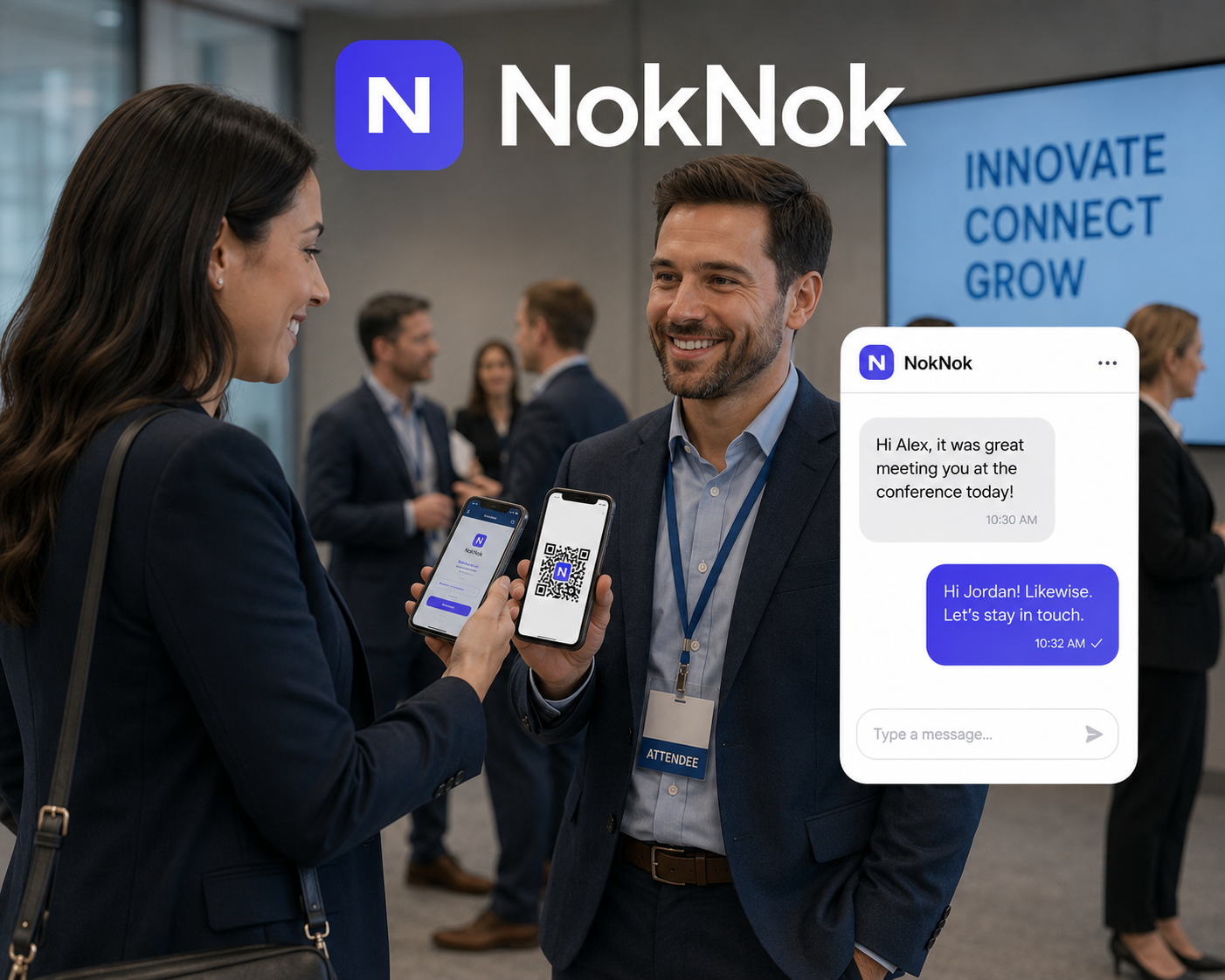
See NokNok in action
A quick walkthrough, from scanning a code to sending your first reply.
Want more? Watch another walkthrough →
Add NokNok to your home screen
Install it in two taps for a full-screen app — and get notified the moment someone replies. No app store, no download, no account for the people who message you.
On a computer? Open noknokconnect.com on your phone’s browser, then follow the steps for your device.
On iPhone & iPad (Safari)
- 1Open noknokconnect.com in Safari.
- 2Tap the Share button (the square with an arrow) in the toolbar.
- 3Scroll down and tap Add to Home Screen.
- 4Tap Add, then open NokNok from your home screen.
On Android (Chrome)
- 1Open noknokconnect.com in Chrome.
- 2Tap the ⋮ menu (top-right).
- 3Tap Install app / Add to Home screen.
- 4Confirm, then open NokNok from your home screen.
Everything you need to stay reachable, privately
A messaging front door you fully control — without giving anything away.
Scan to connect
A camera is all anyone needs. Point it at your NokNok code and a private chat with you opens immediately — no link to copy, no username to find.
No account for guests
The people who reach out never install an app or sign up. They just scan and message. You’re the only one who signs in.
You’re the gatekeeper
New conversations land as requests. Accept the ones you want, ignore the rest. Spam never makes it to your inbox.
No number, no profile
You never hand out a phone number, email, or social handle. A QR code is the only thing you share — and you can retire it any time.
Email & push notifications
Get an email — or a push notification on your installed app — the moment someone messages you, so you can reply from anywhere.
Set up in a minute
Sign in with your email and a password, generate a code, and you’re live. No app store, no configuration.
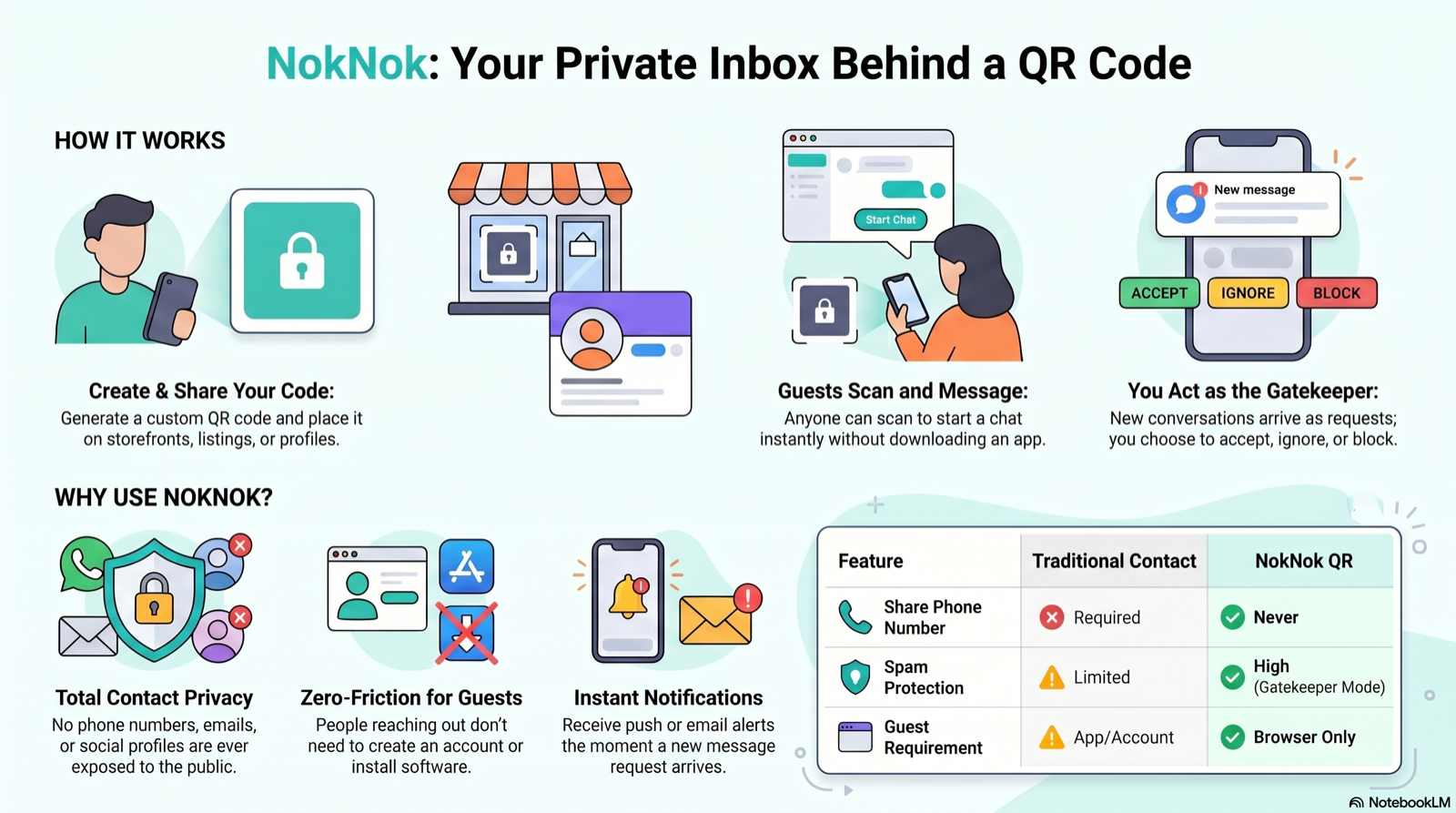
How it works
From zero to your first private conversation in three steps.
Create your code
Sign in with your email and generate a QR code in seconds. Put it on a sign, a sticker, a slide, a storefront, or your profile.
They scan & message
Anyone with the code opens a private conversation with you — anonymously, with nothing to download. The request lands in your inbox.
You stay in control
Approve who gets through, reply when it suits you, and close any conversation for good. You own every thread from start to finish.
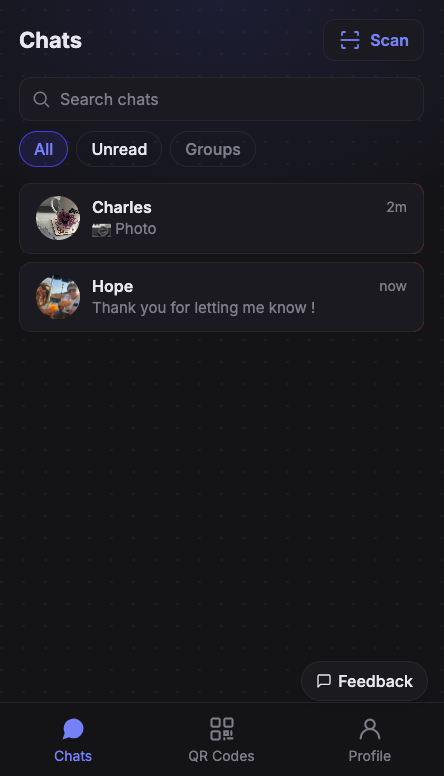
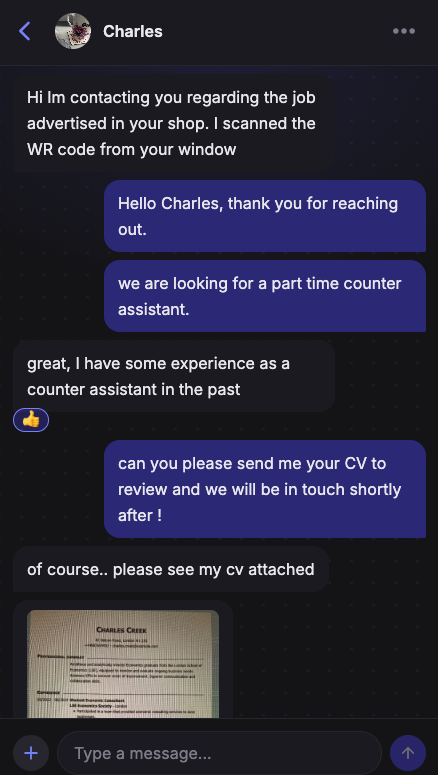
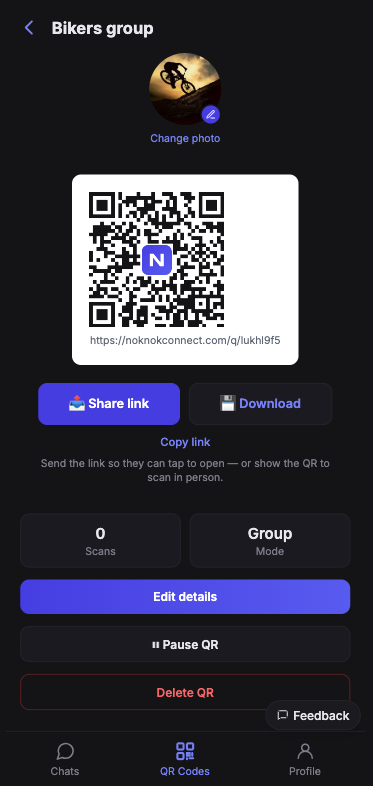
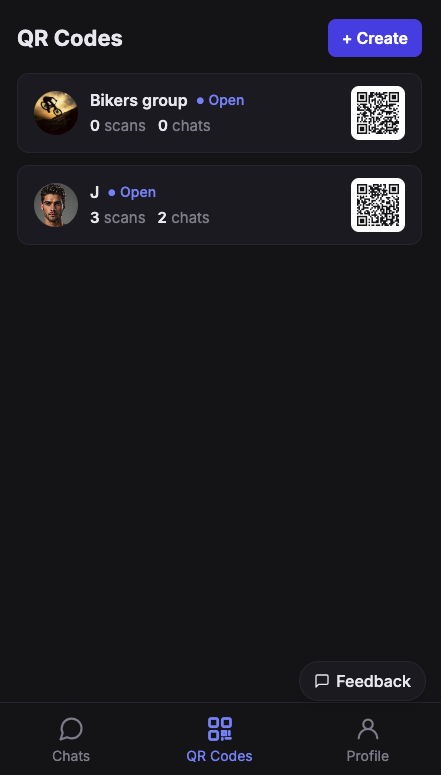
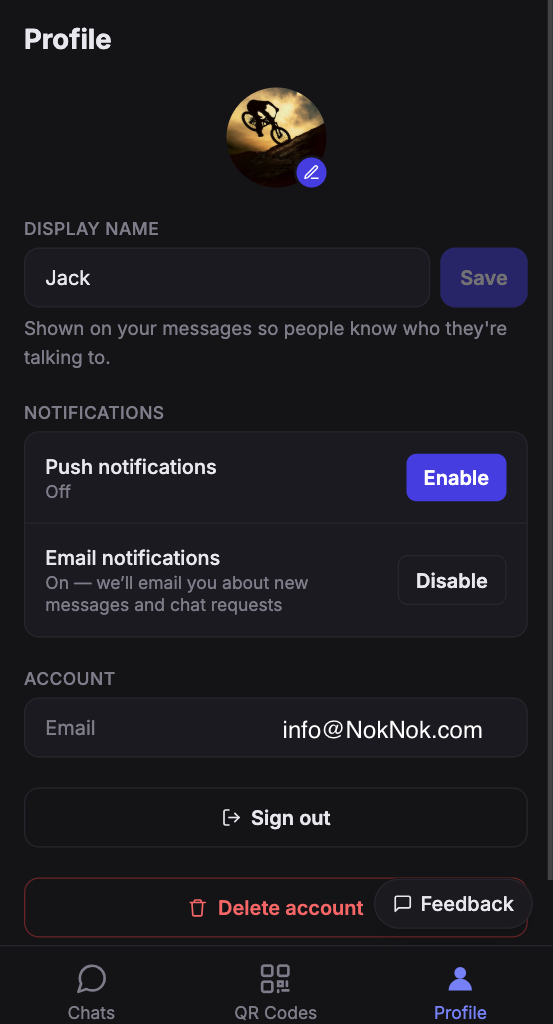
A closer look
Clean, fast, and built for the phone in your pocket.
Made for anyone who’s reachable in public
One code, endless places to put it.
Creators & influencers
Share one code with your whole audience instead of an open DM flooded with spam.
Buying & selling
Let buyers reach you on a marketplace listing without ever exposing your phone number.
Events & networking
Put a code on a badge, booth, or slide so people can message you long after the room clears.
Dating & social
Chat privately first. Share your real contact details only once you actually want to.
Small business support
A code on packaging or your shop window becomes a private support line — no call centre needed.
Anonymous feedback
Collect honest questions and tips from a community while staying fully reachable on your terms.
Privacy isn’t a setting — it’s the whole point
Most ways of being reachable mean handing out something permanent: a number, an email, a profile. NokNok flips that. You share a code that reveals nothing about you and can be switched off in a tap.
- No phone number or email is ever exposed to the people who message you.
- Every conversation starts as a request you can accept or ignore.
- Close a chat — or retire a code entirely — whenever you want.
- Block or report anyone, and your account is protected with email confirmation.
- No ads — ever. NokNok stays focused on its mission, never on selling your attention.
No ads. Not now, not ever.
NokNok will never be polluted with advertising. We don’t sell your attention or your data — the app stays clean, fast, and focused on one thing: letting people reach you privately, on your terms.
Get in touch — or become a beta tester
Questions, ideas, or bugs? Fill out the form and we’ll get back to you. Tick the box to join the beta and we’ll send you a code that unlocks the full Premium experience — free for 3 months, extendable up to a year based on your contribution as a tester.
Guides & tutorials
Short walkthroughs to get the most out of NokNok.
Create & share your first code
Generate a QR code and get it in front of people in under a minute.
Coming soonApprove and manage requests
How the gatekeeper works — accept, ignore, and close conversations.
Coming soonWhere to put your code
Ideas and best practices for sharing your code online and in the real world.
Coming soonFrequently asked questions
Does someone need an account to message me?
No. Guests just scan your code and start chatting — there’s nothing to download and no sign-up. Only you, the owner, sign in.
Do I need to install an app?
No — NokNok runs in any modern browser. But adding it to your home screen takes two taps, gives you a full-screen app, and is the most reliable way to get notified when someone replies (especially on iPhone). See “Add to home screen” above.
How do I sign in?
With your email and a password. When you first sign up we confirm your email with a 6-digit code. Forgot your password? Reset it with a code sent to your email. The people who message you never sign in at all.
Can I stop someone from reaching me?
Yes. Every new conversation arrives as a request you can accept or ignore, and you can close any chat permanently. You’re always the gatekeeper.
Is it really private?
You never share a phone number, email, or social profile — just a QR code, which you can retire whenever you like. Conversations live only between you and the person who scanned.
How much does it cost?
NokNok is free to get started. Create your code, share it, and start receiving messages today.
Get your QR code in under a minute
Sign in with your email — no app store, no setup. Start receiving private messages today.
Get started for free